Jobr Chrome extension
Track every job. Let AI fill the application.
A free Chrome extension that adds any job to your tracker in one click, shows fresh matches in a side panel, and fills application forms from your resume. 5 free Auto Applies every 24 hours.
Installs in about 30 seconds. Requires Google Chrome.
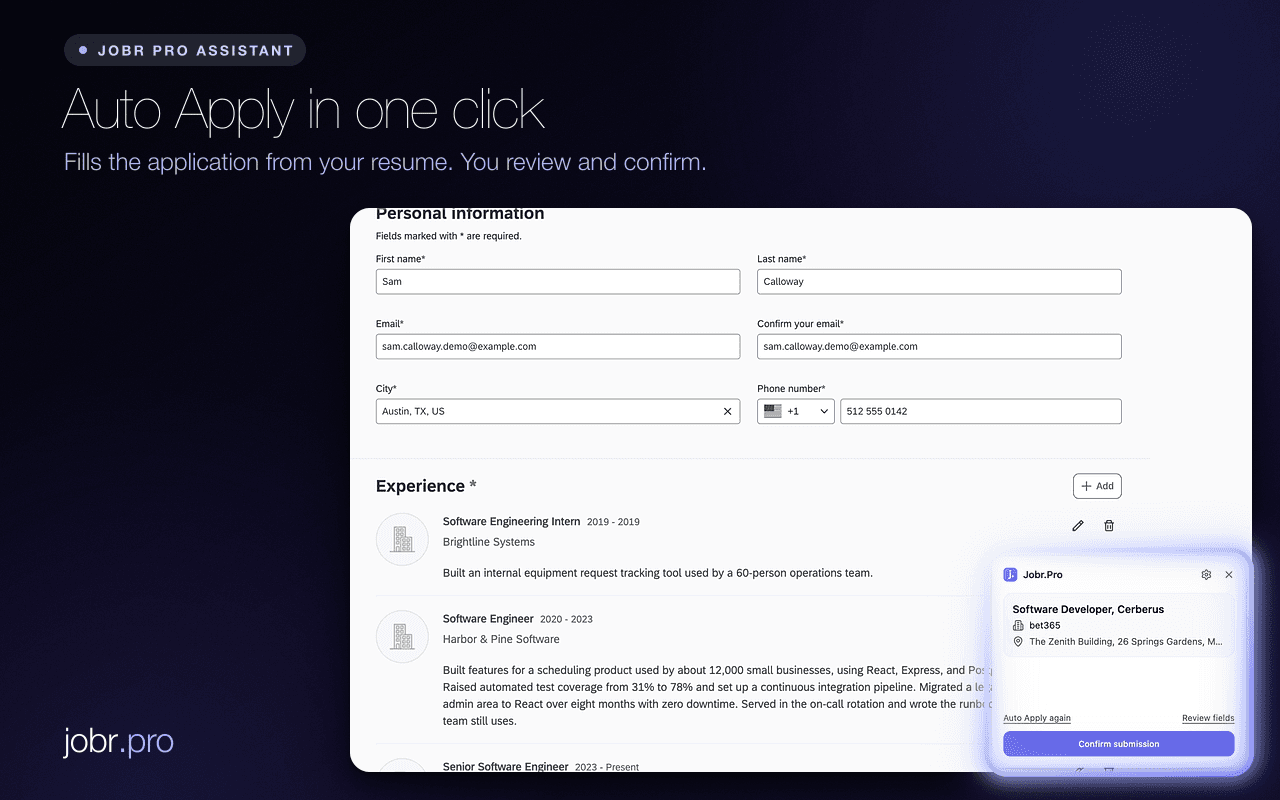
- Works on
- Workday
- Greenhouse
- Lever
- SmartRecruiters
- Workable
- Company career pages
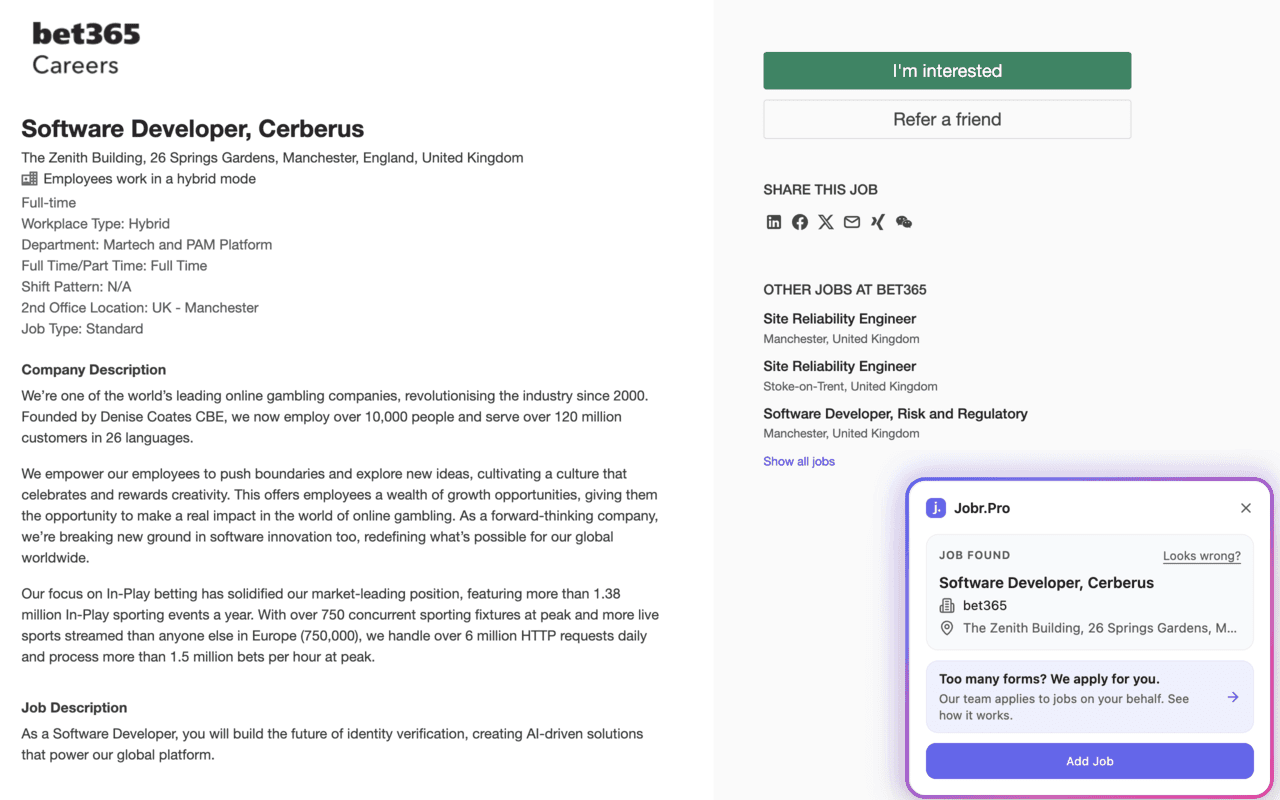
Track
See a job. Add it to your tracker in one click.
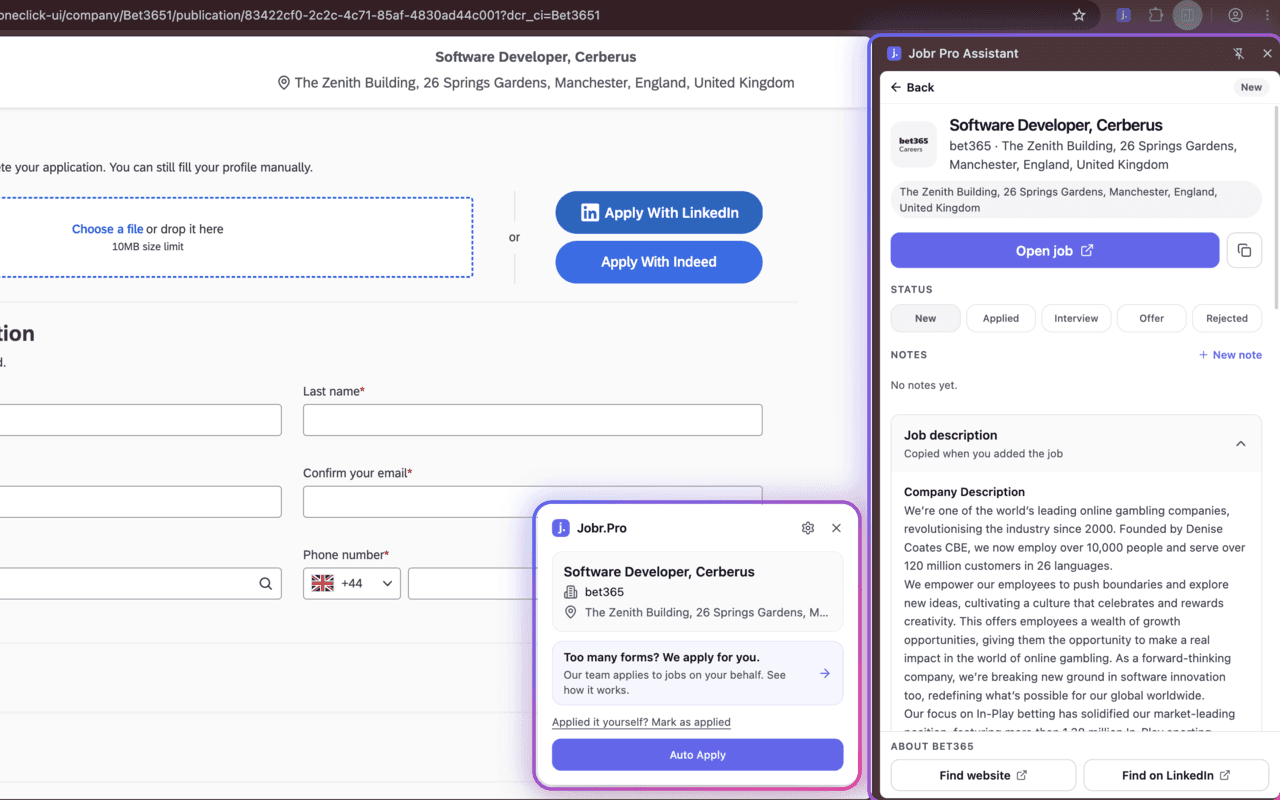
Open any job on a company careers page or job board. Jobr reads it and shows it in a panel next to the page.
- Works on the page you are already viewing
- Title, company and link saved automatically
- Tracking is free
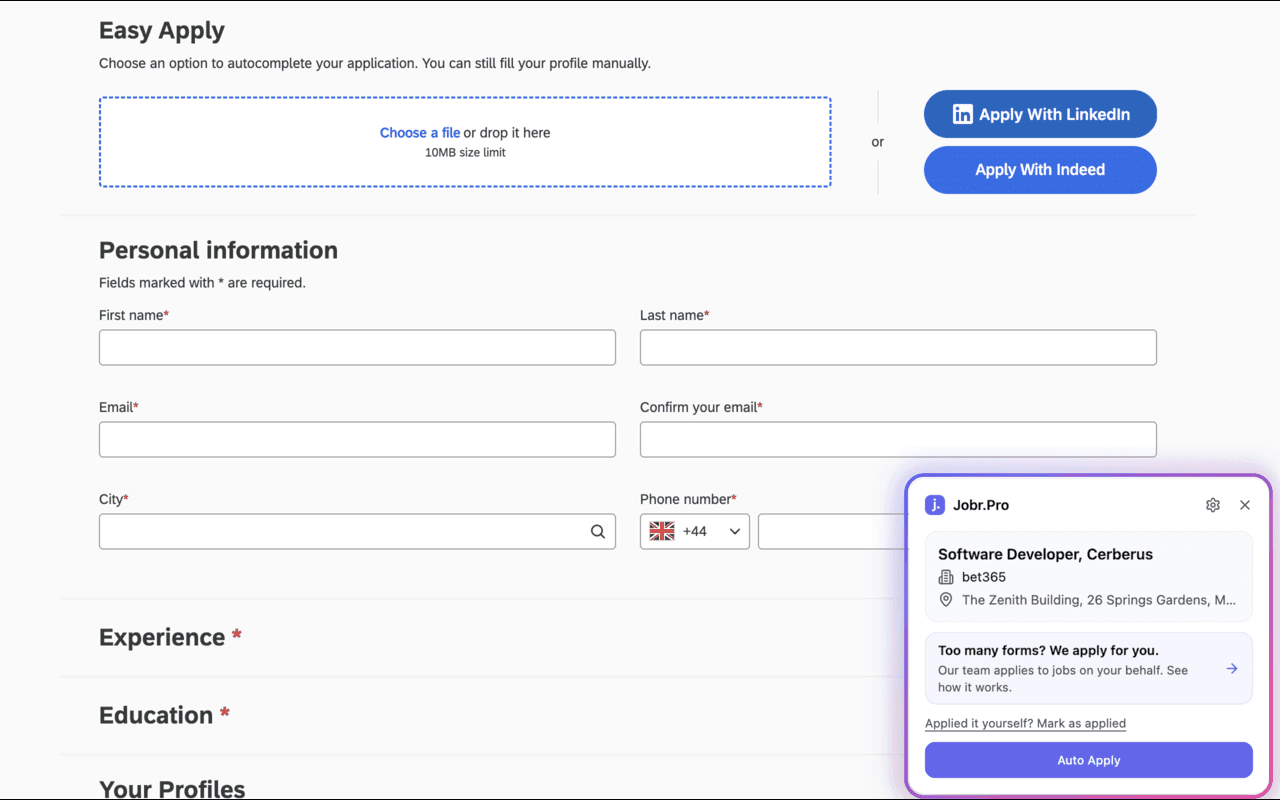
Auto Apply
AI fills the application form for you.
Press Auto Apply and Jobr fills the form in your current tab using your resume, your preferences and your own instructions. You check every answer, then you submit.
- Answers screening questions, not just name and email
- Uses your resume, preferences and instructions
- Nothing is sent until you click submit
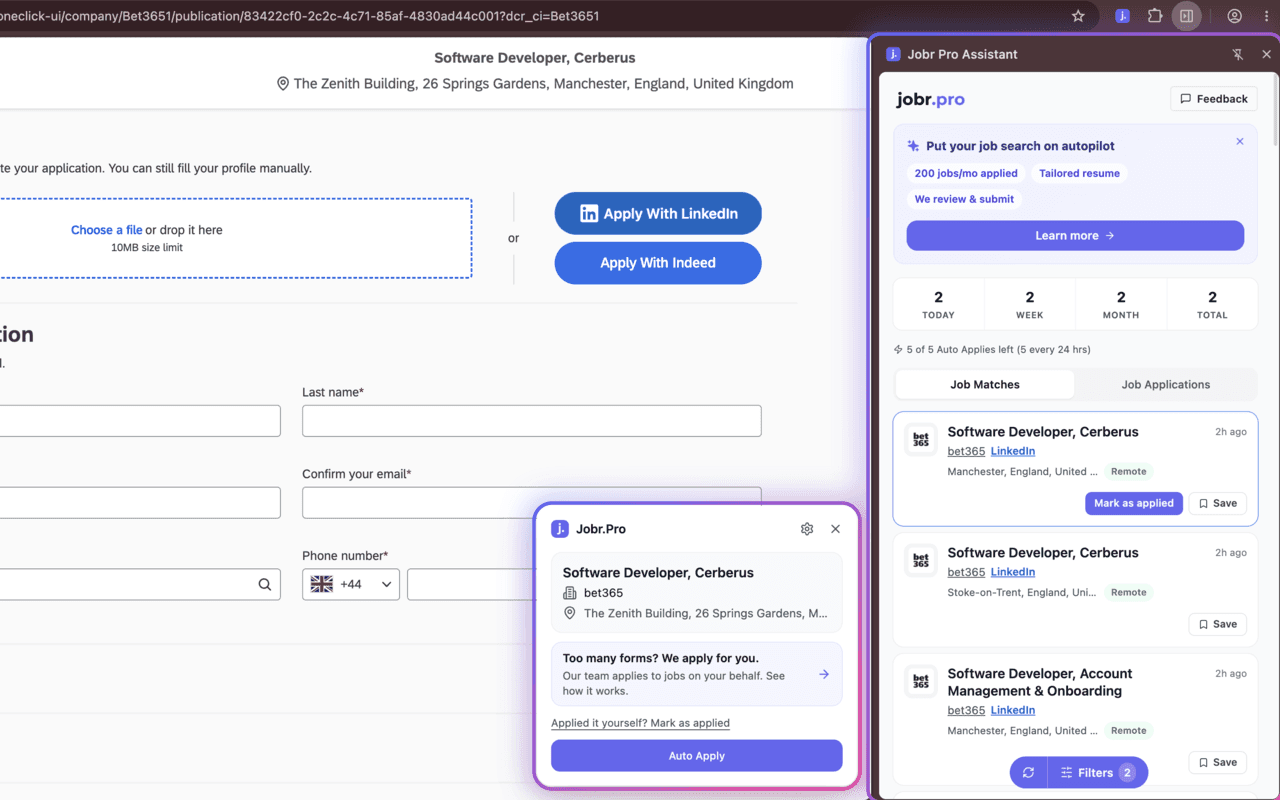
Find
Fresh job matches in your side panel.
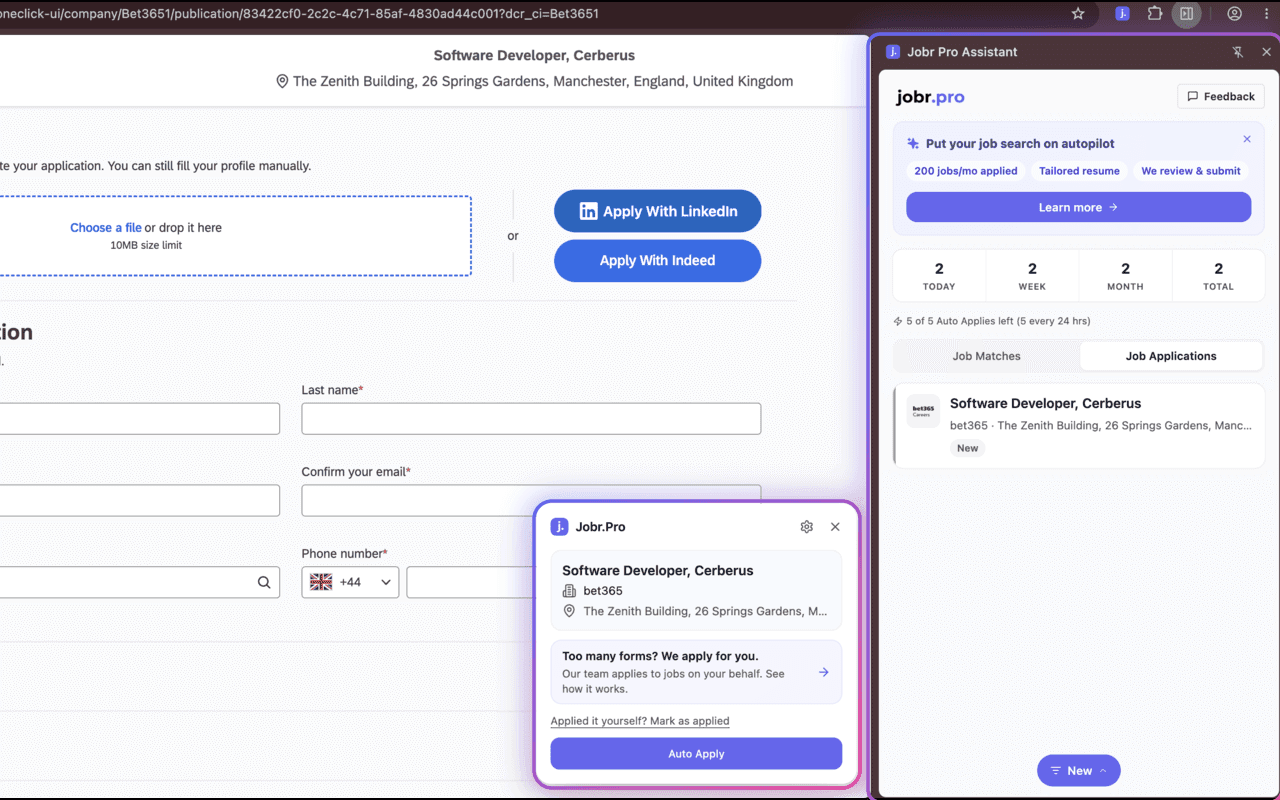
The side panel shows new jobs from different job boards, matched to what you are looking for, so you do not have to go searching every day.
- Jobs from multiple boards in one list
- Matched to your preferences
- Add any match to your tracker or Auto Apply to it
Organize
Every application in one place, with notes.
Jobs you add or apply to land in your tracker. Keep notes on each one, so you always know where things stand.
- A status on every application
- Notes on each one
- Nothing to enter by hand
You stay in control
You review everything
Every answer is shown in the form before anything is sent. Change whatever you like.
You click submit
Jobr never submits an application for you. The last click is always yours.
Your answers, not generic ones
Answers come from your resume, your preferences and your instructions.
Free to use. Pay only for more Auto Applies.
Free
$0
No card needed
- Side panel with job matches
- Add any job to your tracker
- Notes on every application
- 5 Auto Applies every 24 hours
Paid
Coming soon
For heavy applicants
- Everything in Free
- More Auto Applies
Questions
- Does Jobr submit applications for me?
- No. Auto Apply fills the form in your tab and you review every answer. The final click is always yours.
- How does Auto Apply know what to answer?
- It uses your resume, your preferences (salary, visa, start date and so on) and any instructions you give it, then answers the form's questions with AI.
- Is the extension really free?
- Yes. The side panel, job matches and application tracker with notes are free. Auto Apply includes a number of free uses every 24 hours. Privacy policy
- What happens after my free Auto Applies?
- The limit is a rolling 24 hours, so you get Auto Applies back as the window moves on. If you want more, paid plans raise the limit. Tracking and job matches stay free either way.
- Which sites does it work on?
- Company careers pages and most hiring platforms, including Workday, Greenhouse, Lever, SmartRecruiters and Workable. The first time Jobr meets a site it learns how its form is laid out, so a brand-new site can take a moment.
Try it on your next application
Free to start. 5 Auto Applies every 24 hours. Install takes 30 seconds.